Silk Mobile
Table of Contents (Homepage)
- Overview
- Setting Up
- Getting Started
- How To
- Connecting Devices And Emulators
- Preparing Applications For Testing
- Managing Applications
- Recording Tests
- Working With Test Commands
- Adding Commands To Your Scripts
- Object Commands
- Click
- ClickCoordinate
- ClickIn
- ClickOffset
- Drag
- ElementGetProperty
- ElementGetTableRowsCount
- ElementListPick
- ElementListSelect
- ElementListVisible
- ElementScrollToTableRow
- ElementSendText
- ElementSetProperty
- ElementSwipe
- ElementSwipeWhileNotFound
- GetAllValues
- GetElementCount
- GetElementCountIn
- GetTextIn
- IsElementBlank
- IsElementFound
- IsFoundIn
- LongClick
- RunNativeAPICall
- SendWhileNotFound
- VerifyElementFound
- VerifyElementNotFound
- VerifyIn
- WaitForElement
- WaitForElementToVanish
- GetCoordinateColor
- DragDrop
- Application Commands
- Device Commands
- Web (Hybrid) Specific Commands
- Utilities Commands
- Monitoring Commands
- Configuration Commands
- ExtractLanguageFiles
- SetDefaultClickDownTime
- SetDefaultTimeOut
- SetDefaultWebView
- SetDragStartDelay
- SetInKeyDelay
- SetKeyToKeyDelay
- SetLanguage
- SetLanguagePropertiesFile
- SetShowImageInReport
- SetShowPassImageInReport
- SetShowReport
- SetSpeed
- SetThrowExceptionOnFail
- SetWebAutoScroll
- StartStepsGroup
- StopStepsGroup
- TextFilter
- Miscellaneous Commands
- Controlling Element Identification Rules
- Editing Test Objects
- Executing Test Scripts
- Report Of Executed Test
- Working From Code Environment
- Continuous Integration
- Layout Verification Tests
- Use Device Vitals Monitors
- Troubleshooting
- Terminology
Instrumenting iOS Applications
The .ipa file should not be one that you downloaded from iTunes. Such files have DRM restrictions which will not allow instrumenting the application. The application should be a production build version without DRM restrictions.
To illustrate the process of instrumenting iOS applications, we provide two non-instrumented demo applications for iOS devices which can be found on the installation folder under .../bin/ipas:
(Links can be opened only from iOS devices)
-
EriBankO.ipa (bundle identifier: com.experitest.ExperiBankO)
-
BrowserO.ipa (bundle identifier: com.experitest.BrowserO)
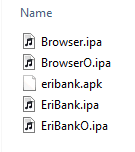
Also on the same folder are copies of the same already after instrumentation. They will automatically be available on the Application manager.
Note: You can use distribution profiles for the instrumentation process.
Instrumentation process
Step 1: On Silk Mobile UI, Choose Help Tab and select iOS Sign Configuration option.
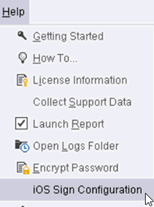
Step 2: On the iOS Sign Configuration you can configure the needed files for the instrumentation.
Step 3: If you don't have an apple account, you can use a DEF file. You should receive by email a DEF file (Device Enablement File).
Step 4: With this file complete the iOS Sign Configuration process as depict in the page.
Step 5: Import the .IPA file (should be available on your local disk) via the Application manager.
Step 6: On the Application manager click the Install button. It will install the application on the device. During the installation process the application will also be instrumented.

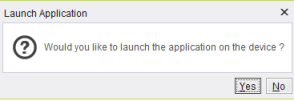
Step 7: Once installation is over user will be promoted with a message box to launch the application.
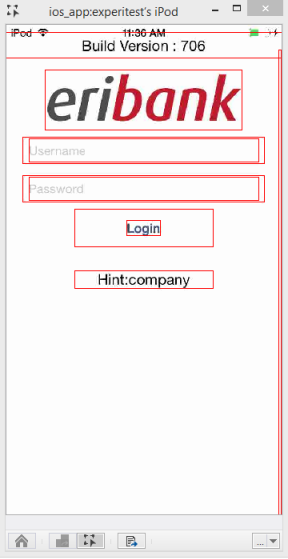
Step 8: Application will be launched instrumented (Screen of the device with instrumented app on object spy mode).